

POST request to a URL you own each time a post goes live. Use it to start a workflow in Zapier, Make or n8n, or to update a sheet, a team chat or your own system.
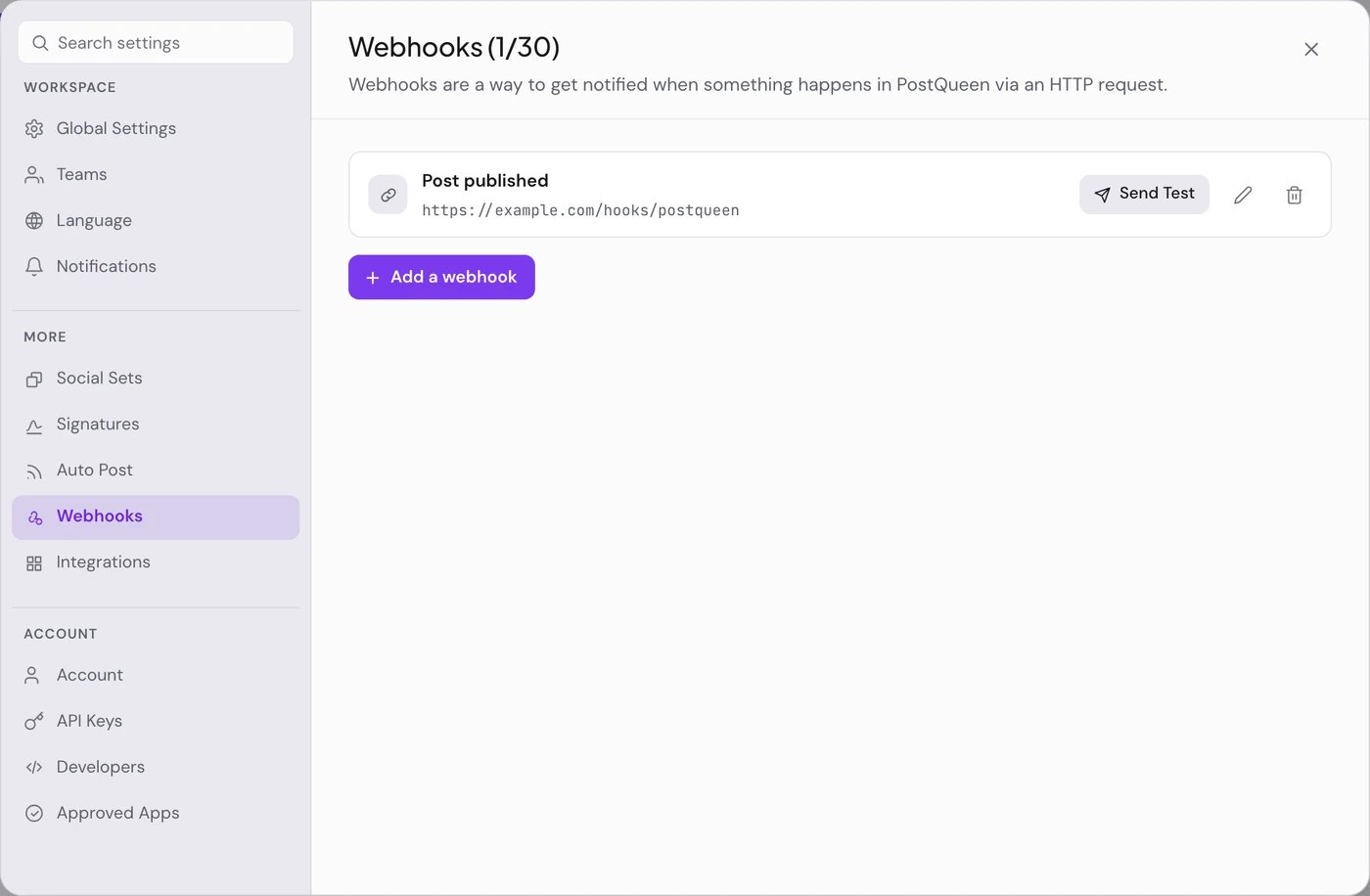
Add a webhook
1
Start a new webhook
Choose Add a webhook. The pane’s title counts your webhooks against your plan, for example Webhooks (1/10). You need at least one connected channel first.
2
Enter a Name and a URL
Name is for you. URL is where PostQueen sends the request. It must be a public
https:// address.3
Pick the Channels
All channels fires for posts on every connected channel. Specific channels fires only for the channels you select.
4
Test it
Choose Send Test. PostQueen sends a sample payload to the URL and tells you whether your endpoint accepted it. Set up the receiving side before you save.
5
Save the webhook
Choose Save. “Webhook added successfully” confirms it. Each saved webhook shows its name and URL, a Send Test button, and buttons to edit or delete it.
What arrives
The request hasContent-Type: application/json. The body is a JSON array that holds the post that just went live on one channel.
Check that a webhook can fire
A webhook fires only when one of its channels publishes. A badge next to its name tells you when some of those channels cannot publish: they are disabled, need reconnecting, were never finished connecting, or were deleted.
With no badge, every chosen channel can publish. Send Test does not check the channels: it only proves your URL answers. See Connect a channel to reconnect or enable a channel.
Webhooks per plan
At the limit, Add a webhook is switched off and the pane says “Your plan is at its webhook limit. Remove one or upgrade to add another.” See Plans and limits.
Good to know
- Once per channel. A post scheduled to three channels publishes three times, so a webhook on All channels is called three times, once as each channel goes live.
- Only on publish. Drafts, and posts that fail to publish, send nothing.
- No retries. PostQueen waits up to 10 seconds for your endpoint and follows redirects. If the endpoint is down, slow or answers with an error, the delivery is not retried and not reported.
- No signature. The request carries no secret or signature header. Use a long URL that is hard to guess, and treat the body as untrusted input.
If something goes wrong
Next steps
Zapier and Make
Catch the webhook and carry on in a workflow.
n8n
Start an n8n workflow from each published post.
RSS Auto Post
The other direction: new feed items become posts.
Public API
Schedule, list and delete posts from your own code.