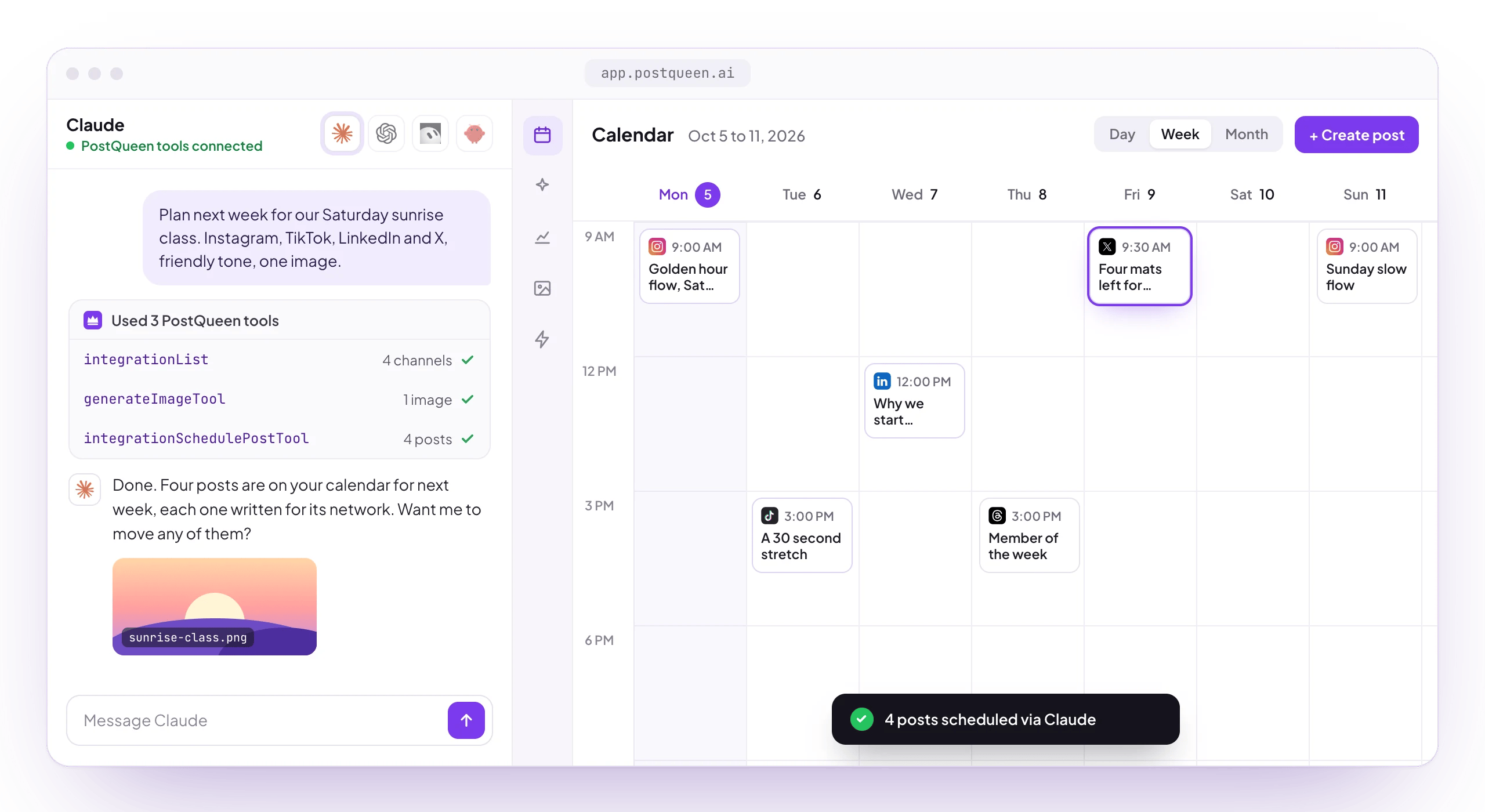
Just talk to her

Message her the way you would message a colleague. She answers inside ChatGPT and the Claude app, reads your WhatsApp and Telegram messages through OpenClaw or Hermes, and she is one command away in your terminal. Tell her what you want the world to see, and she takes care of the rest: the words, the visual and the schedule.
Chat apps feed OpenClaw, a one-line brief feeds Hermes, both drive the postqueen CLI and posts land on the calendar

She runs on your terms

Leave her alone and she is a true autopilot: whatever lands on the calendar goes out on time without another word from you. Want a closer look first? Everything is visible on the calendar before it publishes, so you can edit or delete it, and a post created as a draft is saved but never scheduled, so it sits there until you publish it.

Three ways in

Any assistant that can run a shell command or call a tool can run your socials. Pick the one your assistant already speaks:

Agent skill + CLI

Install the skill and your agent drives the postqueen CLI, with clean JSON on every command

MCP

Point Claude, ChatGPT or any MCP client at her hosted server and its 11 tools

Public API

REST for your own scripts and automations, with your API key as the only setup

👑 Pick your agent

Whichever one you already use, you can be scheduling posts from it in a few minutes.

OpenClaw

Lives on your machine and turns WhatsApp and Telegram into her front door

Hermes

Hand it one brief and it plans, writes and schedules your week over the CLI

Claude Code

One MCP command or the skill, and your coding sessions can post too

ChatGPT

Add her as an MCP connector and schedule posts from a chat

Codex

Teach Codex her CLI so it ships the announcement along with the code

Cursor

Bring her into your editor and post without leaving it
Talking to her in a chat app instead? She answers in WhatsApp, Telegram and the rest, and Claude on the web and your phone is a connector away. Using something else? These reach her over MCP instead of the agent skill, so their setup lives with the MCP client guides:

Gemini CLI

One command in the terminal, and the release notes write themselves

Any MCP client

One URL, one header, and she is a tool the agent can call
Anything that runs a shell command. A tool that can execute postqueen drives her without MCP and without anything to connect: install the skill, export your key, and it can schedule while you work. A cron job or a CI step qualifies on the same terms.
Curious what makes her easy for an agent to drive? Read Why agents love her.

Install the skill

One command installs her skill into any coding agent that supports the skills registry:
What lands is her SKILL.md, a playbook that teaches your agent how she works before it runs a single command. After reading it, the agent knows how to find your channels, ask each platform what it accepts, fetch things that cannot be hardcoded like subreddit flairs, and upload media the way she requires.

Install the skill, step by step

The API key, the CLI, self-hosted setup, and a table of what goes wrong with each fix
Every agent session then runs the same loop: authenticate, find your channels, prepare media, post, check the numbers. All seven steps with the command each one runs: Why agents love her.

Connect over MCP

Prefer tool calls over shell commands? PostQueen speaks MCP at one URL she hosts, so an MCP client gets 11 tools to list your channels, upload media and schedule posts without installing anything. There is one URL and every client takes it a slightly different way: a single command in Claude Code, one JSON entry in Cursor, a connector form on claude.ai, a bridge in Claude Desktop.

Connect your client

The URL, both auth forms, and the steps for each client

Every tool

All 11, with the parameters each one takes

From your chat apps

Message her on WhatsApp or Telegram through OpenClaw or Hermes, and the same route brings her into Slack and Discord. Prefer the browser? app.postqueen.ai runs your whole calendar from your phone too. Setup: OpenClaw and Hermes.
A phone chat: you ask her to push today's podcast to X and LinkedIn at 5pm and she answers that two posts are scheduled and waiting on your calendar

Try saying

Once she is connected, talk to her in plain words:
“Plan a month of content for our coffee shop and fill the calendar.”
“Take this photo of today’s special and put it on Instagram at lunchtime.”
“We just hit 10k followers, write a warm thank-you post for all our channels.”
“Turn my latest YouTube video into posts for X, LinkedIn and Threads.”
She turns any of those into scheduled posts across your channels, and the calendar stays yours to review.

Next steps

Install the skill

One command teaches your assistant the whole CLI.

Connect over MCP

Copy-paste configuration for Claude, ChatGPT, Cursor and the rest.

Chat from your phone

WhatsApp and Telegram, through OpenClaw.

Why she suits agents

What makes the calendar easy for an assistant to drive.

No channel connected yet?

Start here. An agent needs somewhere to post before any of this helps.