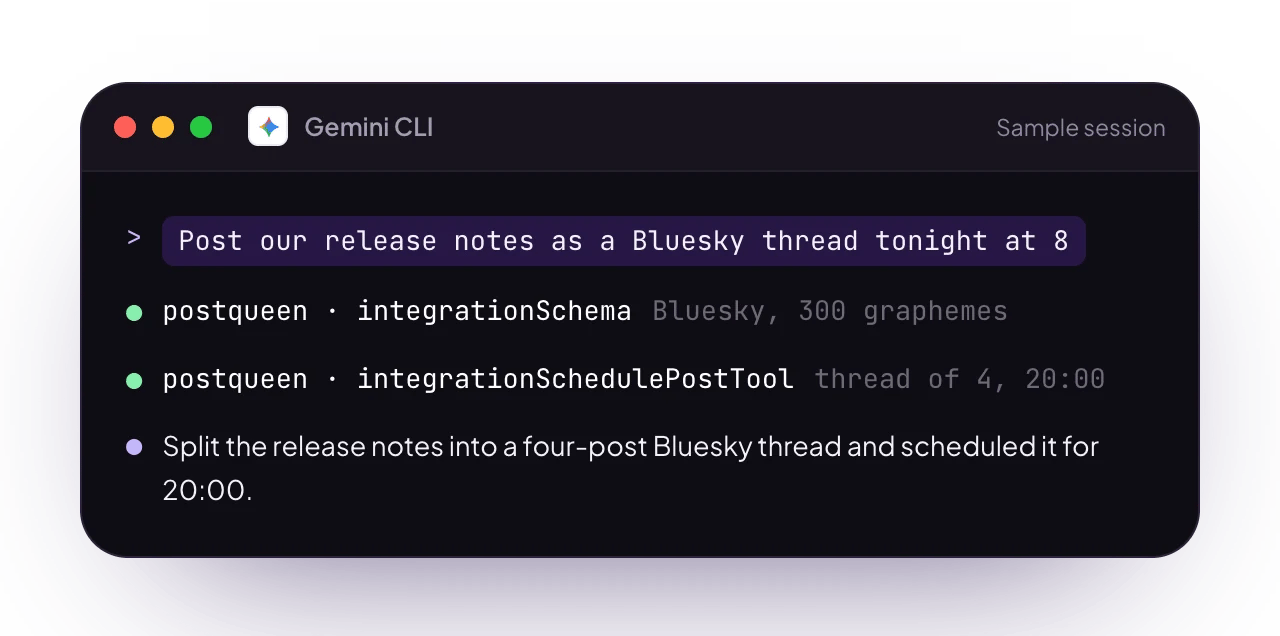
Working with her in the terminal
The release is cut, the terminal is still open, and the only thing standing between you and the announcement is a browser tab you do not want to open. One line of setup later, Gemini CLI can see your channels, ask each one what it accepts and write the posts onto your calendar without you leaving the prompt. Gemini CLI reads MCP servers from itssettings.json, and she is already hosted at a URL, so nothing new runs on your machine. On connect it discovers her 11 tools and reads their schemas, which is why you never type a tool call by hand.
Those 11 tools cover discovery, media and posting. They do not list, delete or reschedule posts that already exist, and there is no analytics tool among them. Both of those live on the calendar at app.postqueen.ai and in the postqueen CLI, which Gemini CLI can run as a shell command like any other.
Set up
One command, and the terminal you already have open can post:/mcp inside Gemini CLI: postqueen should
show as connected with 11 tools.
Full setup: Gemini CLI over MCP
Scope options, the
settings.json block, the header variant, self-hosted URLs, and why an entry
written with url instead of httpUrl connects to nothing👑 Two posts about the release you just cut
Saved views went out this afternoon and the changelog entry is written. Ask in the same terminal:“We shipped saved views today. Write a post for X and one for LinkedIn, generate an image for the X one, and schedule both for tomorrow at 9am.”Four calls carry that sentence to your calendar:
integrationListreturns every connected channel with its integration ID, so the agent knows which accounts exist before it writes anything.integrationSchemaasks each platform what it expects and gets back its rules, itsmaxLengthand its required settings. This is why the LinkedIn post does not arrive written to X’s character limit.generateImageTooltakes a prompt and returns anidwith a hostedpath. Thatpathgoes straight intoattachments.integrationSchedulePostToolwrites the calendar entries, one item insocialPostper post:
<p>. The settings array carries whatever integrationSchema said that platform requires, which is who_can_reply_post on X. Both rules in full: tool reference.
Not ready for one to go out? type takes draft instead of schedule. A draft is a post state, not a queue position: it lands on the calendar and stays there, unscheduled, until you publish it from the editor at app.postqueen.ai. Her MCP tools carry no status change, so that switch happens on the calendar or from the CLI:
FAQ
Do I need Gemini CLI to use PostQueen?
No. She works on her own through the dashboard, the CLI and the public API. Gemini CLI is one of several ways to automate her, and a good pick when your day already happens at a prompt.
She never shows up in /mcp
The usual cause is the wrong config key. Streamable HTTP servers go under
httpUrl, while url is for SSE. After that, check the API key was pasted in full with no stray whitespace, and that the entry is in the file you think it is: gemini mcp add writes into the project unless you pass --scope user.What can she do from a Gemini CLI session?
What can she do from a Gemini CLI session?
Everything her 11 MCP tools cover. She lists your channels, reads what each platform accepts and schedules posts across your 30+ networks. Along the way she can fetch dynamic values like subreddit flairs, generate an image or build a video to attach.
Can it check how a post performed?
Not over MCP. There is no analytics tool in the set, and no tool for listing or deleting posts either. For those, use the calendar at app.postqueen.ai or the
postqueen CLI, which carries posts:list, posts:delete and analytics:platform.Can Gemini CLI use the CLI instead of MCP?
Can Gemini CLI use the CLI instead of MCP?
Yes. It runs shell commands, and every
postqueen command takes flags and prints JSON, so nothing has to be scraped off the screen. The CLI is the wider surface of the two, and the one to reach for when you want listing, status changes or analytics. Installation and the full command set: CLI introduction.Does the integration cost extra?
Does the integration cost extra?
Learn more
Gemini CLI over MCP
The
settings.json block, the Bearer variant and self-hosted URLs.MCP tools
All 11 tools Gemini discovers on connect, with every parameter.
CLI introduction
The
postqueen CLI, for the work MCP does not cover.Agents overview
Every way to put an agent in front of PostQueen, from coding assistants to chat apps.