

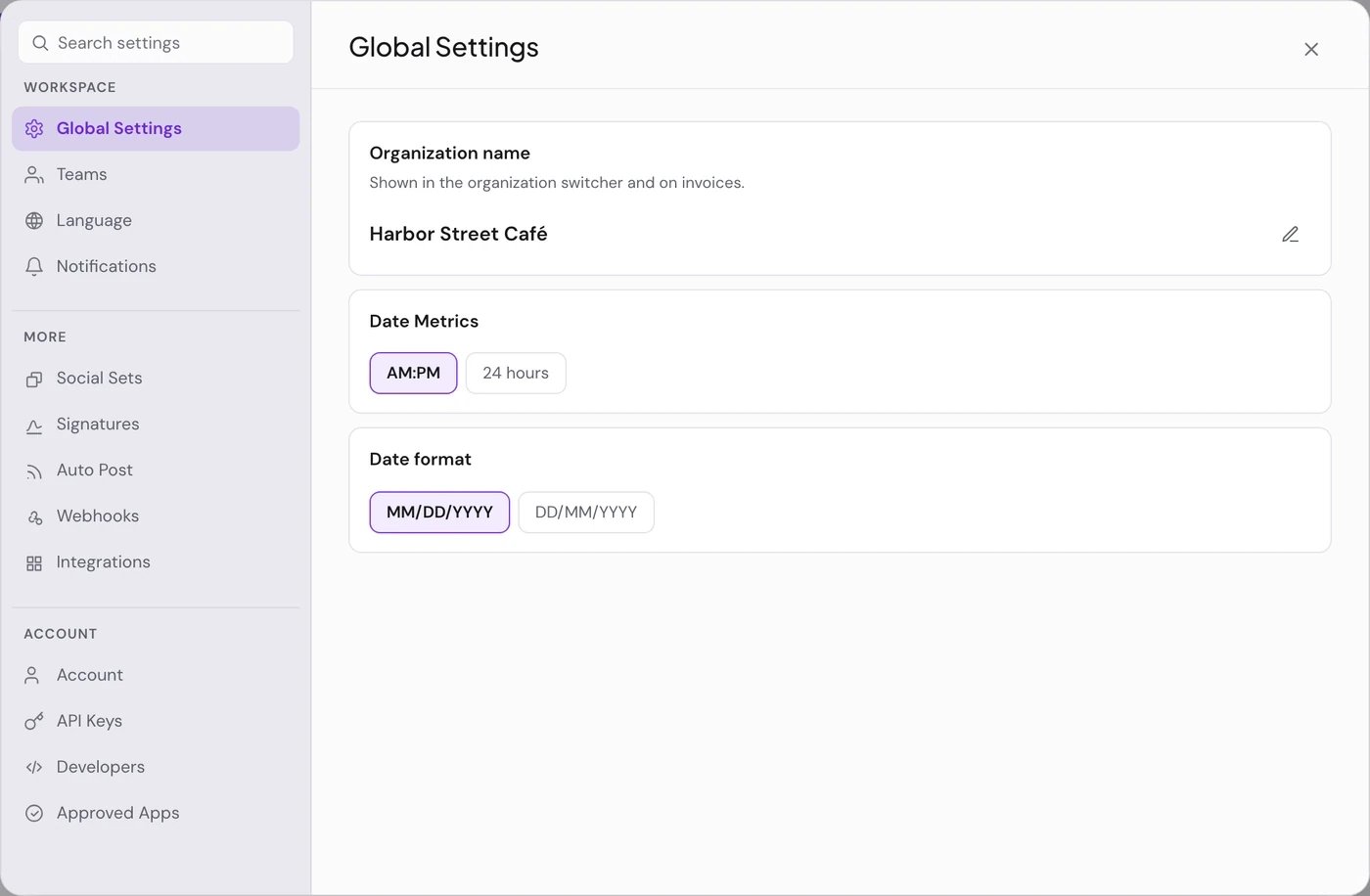
The tabs
On Global Settings:
- Only the Super Admin sees Organization name, the workspace name shown in the switcher and on invoices.
- Date Metrics (AM:PM or 24 hours) and Date format (MM/DD/YYYY or DD/MM/YYYY) are saved in this browser only.
- PostQueen has no link shortener today, so links are published as you wrote them and there is no Shortlink Settings card.
Choose your email notifications
1
Open Notifications
In Settings, choose Notifications in the Workspace group.
2
Switch each email on or off
Success Emails tell you a post was published, Failure Emails that a post failed, and Streak Ended Emails that the workspace’s posting streak has ended, 24 hours after its last published post. All three start on.
Pick your language
In Settings > Language, choose a language. The app switches at once.- The choice is saved in this browser, not in your account or the workspace. Each member, and each of your browsers and devices, picks on its own. Until you pick, PostQueen is in English.
- This browser keeps the choice for 7 days. After that, the app is in English again until you pick once more.
- Emails from PostQueen are always in English. The tab says so too: “Pick the language for the interface and AI prompts. Emails are sent in English.”
- The AI Copilot is told which language the app is in.
Change your account details
In Settings > Account:- Profile: choose Edit next to Name, then Save.
- Email: choose Change, enter the New email and choose Send confirmation. The address changes when you confirm it from the new inbox.
- Password: choose Change, or Set password if you only sign in with another account. Changing it signs out your other sessions.
- Connected accounts: Connect or Unlink a sign-in method. You cannot unlink the last one unless a password is set.
Your time zone
PostQueen shows every time in the time zone your browser reports, which is the time zone of your computer or phone. Settings > Account shows it under Timezone, with a Coming soon badge: you cannot change it in PostQueen yet. To see and schedule times in another time zone, change your device’s time zone, then reload PostQueen. A post is saved as a moment, not a clock time: a post set for 09:00 in Berlin shows as 08:00 to a teammate in London, and goes out once, at that moment.Delete your account
1
Open Delete Account
In Settings > Account, scroll to Delete Account and choose it.
2
Confirm it is you
Type your email in Type your email to confirm and enter your Current password. If your account has no password, sign out and sign in again with your connected account first. That sign-in counts for 20 minutes.
3
Delete
Choose Delete Account, then Yes, delete my account.
If something goes wrong
Next steps
Team
Invite members, change roles and share a published post with a client.
Connections
The API key, your AI agents and the apps you approved.
Notifications
The bell, every email PostQueen sends, and the posting streak.
Plans and limits
Which tabs and limits come with each plan.