

1
Create a new app
Head over to LinkedIn developers and create a new app.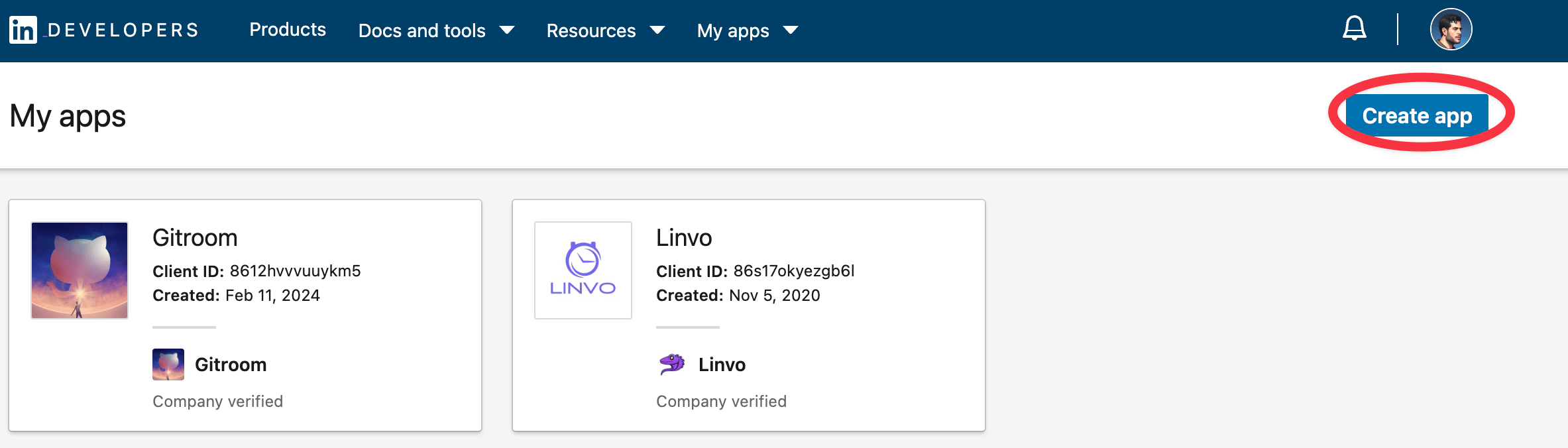
2
Verify your app
Verify your app with LinkedIn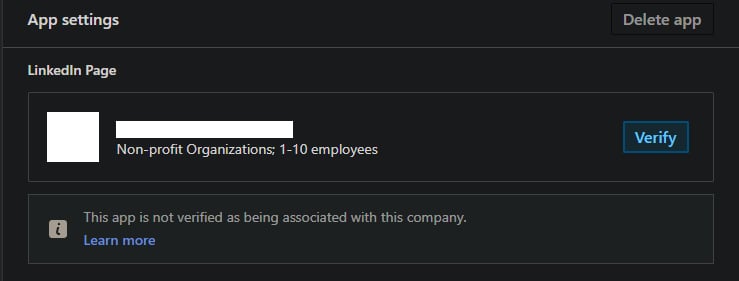
3
Add required products
Fill in all the details, once created head over to Products and make sure you add all the required products:
- Share on LinkedIn
- Advertising API
- Sign in with LinkedIn using OpenID connect
4
Configure OAuth2 Redirect URI
Your LinkedIn Page OAuth2 Redirect URI:
- Production:
https://postqueen.example.com/integrations/social/linkedin-page - Local development:
http://localhost:4200/integrations/social/linkedin-page - Docker:
http://localhost:4007/integrations/social/linkedin-page
5
Copy your credentials
Copy the created You can find those under the Auth Tab of your LinkedIn App in the developer portal.
Client ID and Client Secret and add them to your .env file.6
Restart and add the the LinkedIn Page channel
Next steps

What she can post to a LinkedIn Page
Limits, post types and settings
Configuration reference
Every variable she reads
Connect errors
Invalid state, invalid_grant and the rest
Another channel
Every network, and what each one asks for